

How to Avoid Common Mistakes as a Beginner Coder: A Complete Guide
 GetTechByte

Learning to code can feel exciting at first. You write your first program, see something appear on the screen and suddenly programming feels like magic. Then reality arrives. Your code stops working.
You get an error message that looks confusing. You change one line and three other things break. You search Google for an answer, copy some code and suddenly you have no idea why the code works. If you have experienced this, don't worry. Making mistakes is a normal part of learning to code.
The goal is not to become a programmer who never makes mistakes. Even experienced developers make mistakes every day.
The real goal is to learn how to:
- recognize common mistakes
- understand why they happen
- fix them systematically
- develop good coding habits early
In this guide, we will look at the most common mistakes complete beginners make when learning programming and more importantly, how to avoid them.
1. Trying to Learn Everything at Once
One of the biggest mistakes beginners make is trying to learn too many things at the same time.
A new programmer might start with:
- Python
- JavaScript
- C++
- Java
- React
- Node.js
- databases
- Git
- Docker
- artificial intelligence
all within a few weeks. This usually creates confusion instead of progress.
Why is this a problem?
Programming has many concepts that depend on each other.
For example, before learning a large web framework, you should understand basic programming concepts such as:
- variables
- conditions
- loops
- functions
- data structures
- errors
- basic problem-solving
If you skip the foundation, advanced technologies become much harder to understand.
What should you do instead?
Choose one programming language and stay with it for a while.
For example:
Python → variables → conditions → loops → functions → lists/dictionaries → files → errors → small projects
You don't need to know five programming languages to become a good programmer. You need to become comfortable solving problems with one language first.
Beginner rule:
Depth is more valuable than collecting technologies.
2. Copying Code Without Understanding It
The internet is full of useful code.
You can find solutions on:
- Stack Overflow
- GitHub
- documentation websites
- tutorials
- blogs
- AI coding assistants
These resources are extremely useful. But there is a dangerous habit. Copying code and using it without understanding what it does.
For example, imagine you find this Python code:
numbers = [10, 20, 30, 40]
result = sum(numbers)
print(result)
A beginner might copy it and think:
"It works, so I'm done."
A better approach is to ask:
- What is numbers?
- Why are square brackets used?
- What does sum() do?
- What does result contain?
- What does print() do?
Once you understand those questions, you can use the same idea in other situations.
Whenever you copy code, explain it to yourself line by line. If you cannot explain what a line does, don't consider that concept fully learned yet.
3. Learning Syntax Instead of Learning Problem-Solving
Beginners often think programming is mainly about remembering syntax. It isn't, Programming is primarily about solving problems.
For example: suppose you need to find the largest number in a list.
The important question is not:
"What syntax do I remember?"
The important question is:
"How can I logically find the largest value?"
You might think:
- Start with the first number.
- Assume it is the largest.
- Compare it with the next number.
- If the next number is larger, remember that number.
- Continue until the list ends.
- The remembered number is the largest.
That is programming. The programming language is simply the tool used to express that solution.
How to improve
Before writing code, explain your solution using normal language.
For example:
Problem: Count how many even numbers are in a list.
Plan:
- Start the counter at zero.
- Look at each number.
- Check whether the number is divisible by 2.
- If it is, increase the counter.
- Print the counter.
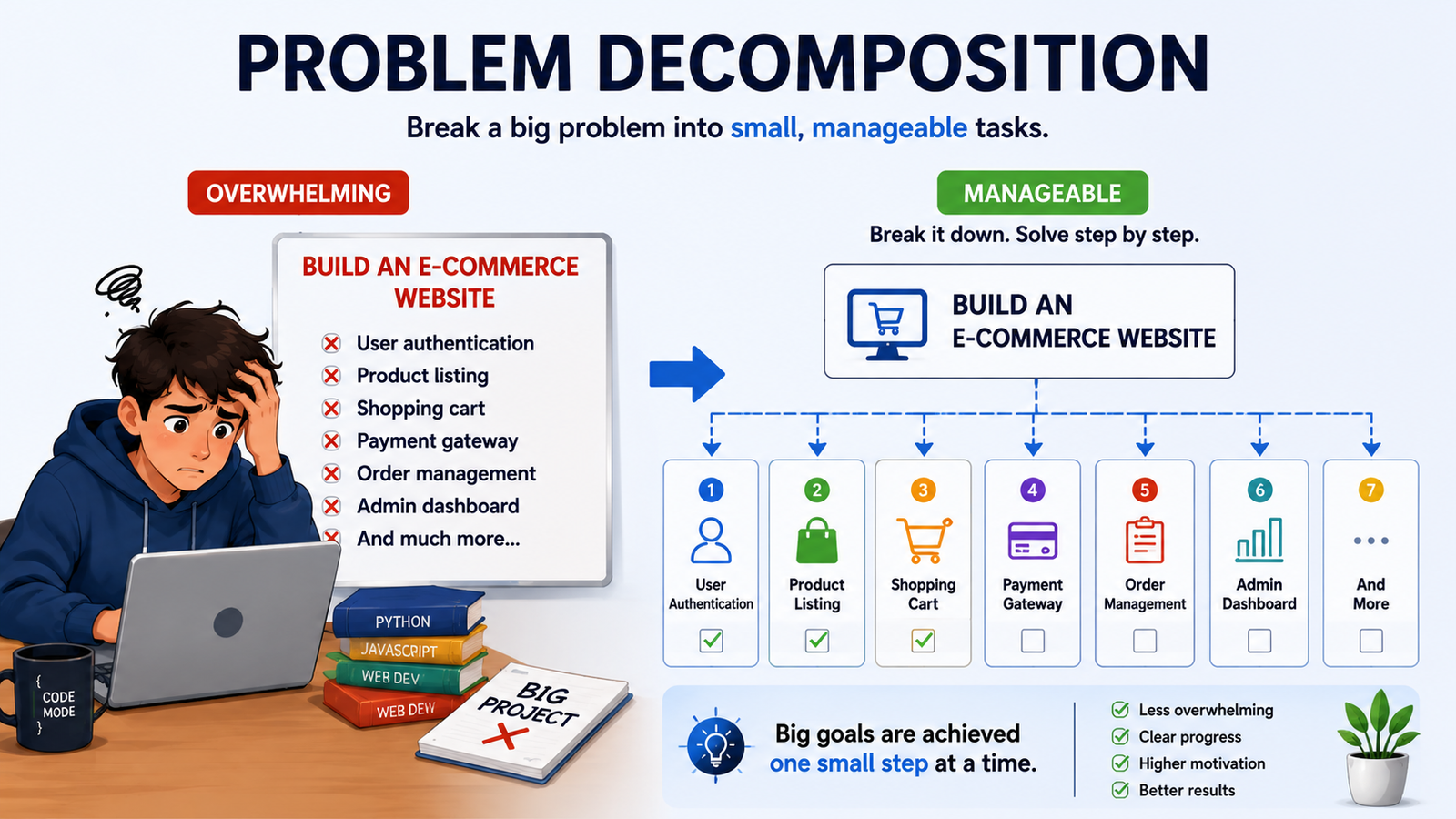
Then write the code. This simple habit can dramatically improve your programming skills.
4. Falling Into Tutorial Hell
One common mistake beginners make is watching too many programming tutorials without actually practicing. You may watch 10 or 20 hours of videos and feel like you understand coding. But when you close the tutorial and try to build something yourself, you may not know where to start. This is called tutorial hell.
What Is Tutorial Hell?
Tutorial hell means constantly watching tutorials but not writing enough code on your own.
For example:
Watch Tutorial
↓
Copy Code
↓
Watch Another Tutorial
↓
Copy More Code
↓
Try to Build Something Alone
↓
Get Stuck
The problem is that you are learning by watching, instead of learning by doing.
Why Does It Happen?
When you follow a tutorial, someone else is making the decisions for you.
They tell you:
- What code to write
- Where to write it
- How to fix errors
- What to build next
So, everything feels easy. But when you start your own project, you have to make those decisions yourself. That's where you discover what you actually understand.
How to Avoid Tutorial Hell
Don't stop using tutorials completely. Just use them differently.
Follow this simple cycle:
Learn
↓
Practice
↓
Build
↓
Make Mistakes
↓
Debug
↓
Learn Again
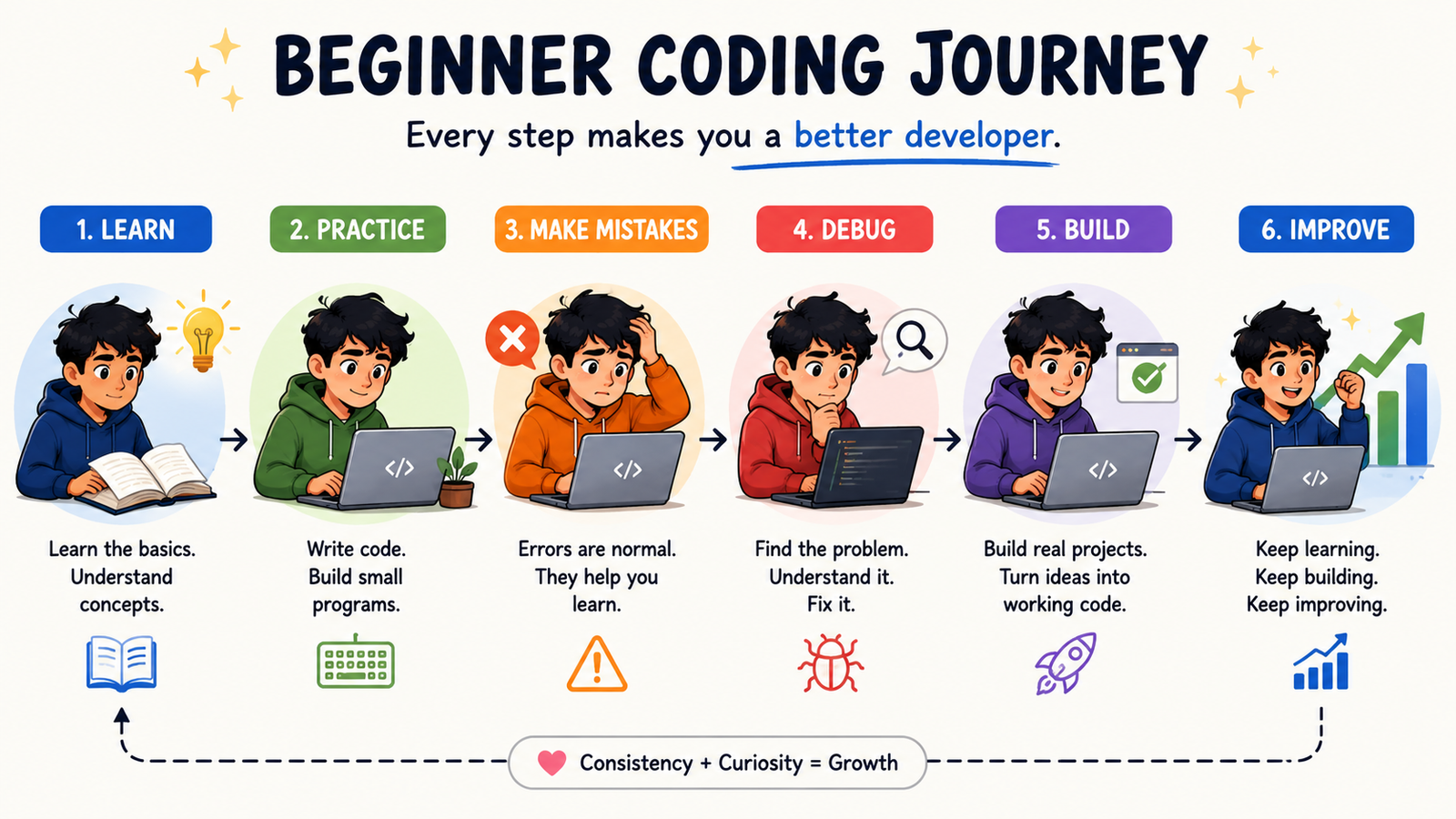
For example, if you learn Python if statements, don't immediately watch another video.
Instead, write a small program yourself:
age = 20
if age >= 18:
    print("You are an adult.")
else:
    print("You are under 18.")
Then change it. Try different ages. Add another condition. Make your own small program.
Use Tutorials as Help, Not as a Crutch. When you get stuck, it's okay to search for an answer or watch a tutorial. But first try solving the problem yourself.
Don't measure your progress by how many tutorials you watch. Measure it by what you can build without following a tutorial.
You don't need to watch 100 tutorials to become a programmer.
Learn → Practice → Build → Make mistakes → Debug → Repeat.
That's how you escape tutorial hell and become a better coder.
5. Building Projects That Are Too Big
Another common beginner mistake is choosing a project that is far too difficult.
Someone learns programming for two weeks and decides:
"I'm going to build the next Instagram."
That's probably too much for a first project.
When the project becomes complicated, the beginner gets overwhelmed and may quit.
Start small.
Good beginner projects include:
- calculator
- number guessing game
- simple quiz
- to-do list
- password generator
- basic expense tracker
- simple text-based game
- countdown timer
- contact book
The project doesn't have to be impressive. It needs to be finishable.
The power of small projects
A small project teaches you how to:
- plan a program
- write code
- find errors
- organize files
- test features
- finish something
Finishing projects builds confidence.
6. Being Afraid of Error Messages
Many beginners see an error and immediately think:
"My code is broken."
But errors are not your enemy. Error messages are clues.
For example:
NameError: name 'username' is not defined
This tells you something useful.
Python is saying that it doesn't know what username means.
Maybe you wrote:
print(username)
without creating the variable first.
You might need:
username = "Alex"
print(username)
Read the error carefully. When an error appears, look for:
- Error type
- Error message
- File name
- Line number
- Code around that line
Don't immediately change random lines.
7. Not Learning How Debugging Works
Debugging means finding and fixing problems in your program. It is one of the most important skills a programmer can develop. A good programmer isn't someone who writes perfect code. A good programmer knows how to find problems.
A simple debugging process
Step 1: Reproduce the problem
Make the error happen again.
Step 2: Read the error
Don't ignore the error message.
Step 3: Find where the problem starts
Look at the line mentioned by the error.
Step 4: Check your assumptions
Ask:
"What did I expect this code to do?"
Then ask:
"What is it actually doing?"
Step 5: Test small pieces
Use print statements, a debugger or small tests.
Step 6: Make one change
Avoid changing everything at once.
Step 7: Test again
Check whether the change actually fixed the problem.
This process is much more reliable than guessing.
8. Using AI Without Learning
AI coding tools can be extremely useful for beginners.
They can:
- explain errors
- explain code
- generate examples
- suggest improvements
- help with debugging
- provide learning exercises
But there is a problem.
As a beginner, you may ask AI:
"Build my entire application."
Then copy the answer without understanding it. This can create a false sense of progress. Use AI as a teacher, not a replacement for learning.
Instead of asking:
"Write the entire program for me."
Try:
"Explain why this error is happening."
Or:
"Give me a hint without giving me the complete solution."
Or:
"Explain this function line by line."
Or:
"Give me three similar practice problems."
This way, AI becomes a learning tool rather than a shortcut.
9. Ignoring Documentation
Many beginners think documentation is difficult or boring. But documentation is one of the most valuable resources available to programmers. If you use Python, JavaScript, Java or another language, the official documentation explains how the language and its tools work.
For example, if you don't know how a function works, documentation can tell you:
- what the function does
- what arguments it accepts
- what it returns
- sometimes provide examples
Learn to read documentation gradually You don't have to understand every word.
Start by finding:
- the function name
- a simple description
- an example
- required parameters
- the return value
The better you become at reading documentation, the less dependent you become on random tutorials.
10. Not Using Version Control
Beginners often ignore Git because it looks complicated. But Git can save you from major problems. Imagine you spend three hours working on a project. Then you change something. Suddenly everything breaks. Without version control, you may struggle to return to your previous working version. With Git, you can save different versions of your project.
For example:
Version 1 → Basic calculator works
Version 2 → Added multiplication
Version 3 → Added division
Version 4 → Added user interface
If Version 4 breaks something, you can inspect previous versions.
Learn these basic Git concepts first. You don't need to learn every Git command immediately.
Start with:
- repository
- commit
- status
- add
- commit
- push
- pull
- branch
Git becomes much easier after you use it on a real project.
11. Ignoring Code Readability
Your code isn't written only for the computer. It is also written for humans.
Compare:
x = 500
y = 20
z = x * y

with:

price = 500
quantity = 20
total_cost = price * quantity
Both can work. But the second version is easier to understand. Good naming matters. Use names that describe what something represents.
Instead of:
x = 25
consider:
student_age = 25

Instead of:

a = ["John", "Sarah", "Mike"]
consider:
students = ["John", "Sarah", "Mike"]
Good names reduce confusion.
12. Comparing Yourself With Experienced Developers
This mistake is not technical, but it can seriously affect your learning. You might see a developer building complex applications and think:
"I'll never be that good."
Remember that you are comparing your beginning with someone else's years of experience.
Experienced programmers also:
- make mistakes
- search for answers
- read documentation
- debug problems
- forget syntax
- sometimes spend hours fixing one issue
Programming isn't about knowing everything. It's about becoming better at solving problems. Compare yourself with your past self.
Ask:
"Can I solve something today that I couldn't solve last month?"
If the answer is yes, you're progressing.
13. Jumping Between Tutorials
Another common problem is tutorial hopping. You start a Python course. Then you find another course. Then a YouTube video. Then a different instructor. Then a new framework. Eventually you have watched hundreds of tutorials but completed very few projects.
Choose one structured learning path.
For example:
Programming basics
↓
Variables and data types
↓
Conditions
↓
Loops
↓
Functions
↓
Data structures
↓
Files
↓
Error handling
↓
Small projects
↓
Larger projects
You can use other resources when you get stuck. But don't constantly restart your learning journey.
14. Learning Security Too Late
Security may seem like an advanced topic. But beginners should develop some basic security habits early.
For example:
Never put passwords or secret API keys directly into public code.
Avoid:
API_KEY = "my-real-secret-key"
especially in code that will be uploaded publicly.
Learn about:
- environment variables
- password protection
- input validation
- secure authentication
- dependency updates
- basic web security
You don't need to become a security expert on day one. But good habits should start early.
15. Giving Up When Code Doesn't Work
This may be the biggest mistake of all. Programming can be frustrating. You may spend hours trying to solve a problem. You may feel like everyone else understands programming except you. That's normal.
The important thing is to change your mindset.
Instead of:
"I can't code."
say:
"I haven't solved this problem yet."
That small change matters. Every error you debug teaches you something. Every project you finish teaches you something. Every confusing concept you eventually understand becomes part of your programming knowledge.
Final Thoughts
Becoming a programmer is not about avoiding every mistake. Mistakes are part of programming. The important thing is learning from them.
When your program fails, don't immediately think:
"I'm bad at coding."
Think:
"What is this error teaching me?"
When you don't understand something, don't feel embarrassed. Search for it. Read the documentation.
- Ask questions
- Experiment
- Build something small
- Break it
- Fix it
Then build something slightly bigger. That cycle is how programmers grow. You don't need to know everything before you start building. You become better by building, making mistakes and solving those mistakes one problem at a time.
Questions
What is the biggest mistake beginner programmers make?
One of the biggest mistakes is trying to learn too much at once. Beginners should focus on one language, understand the fundamentals and practice through small projects.
Should beginners use AI to learn coding?
Yes, but carefully. AI can explain concepts, errors and examples. Beginners should avoid blindly copying complete solutions and should make an effort to understand the generated code.
How can I get better at debugging?
Practice reading error messages, reproduce problems, isolate the problematic code, test small pieces and make one change at a time.